GTS
The Global Trading System (GTS) allows you to buy and sell Pokémon and items through a centralized marketplace. Browse listings from other players, create your own listings, and manage your trades all in one place.
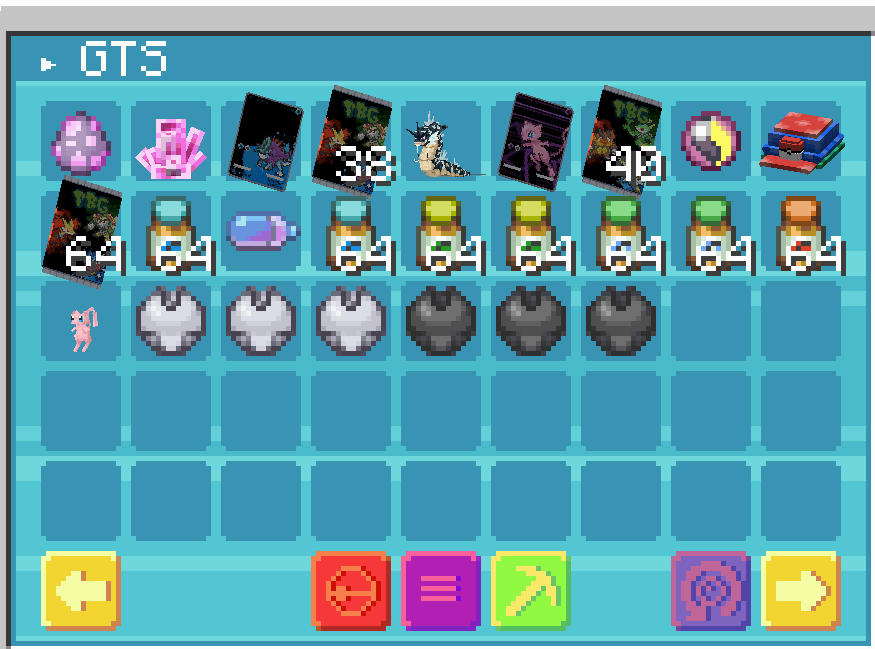
Browse available listings for Pokémon and items in the GTS marketplace.
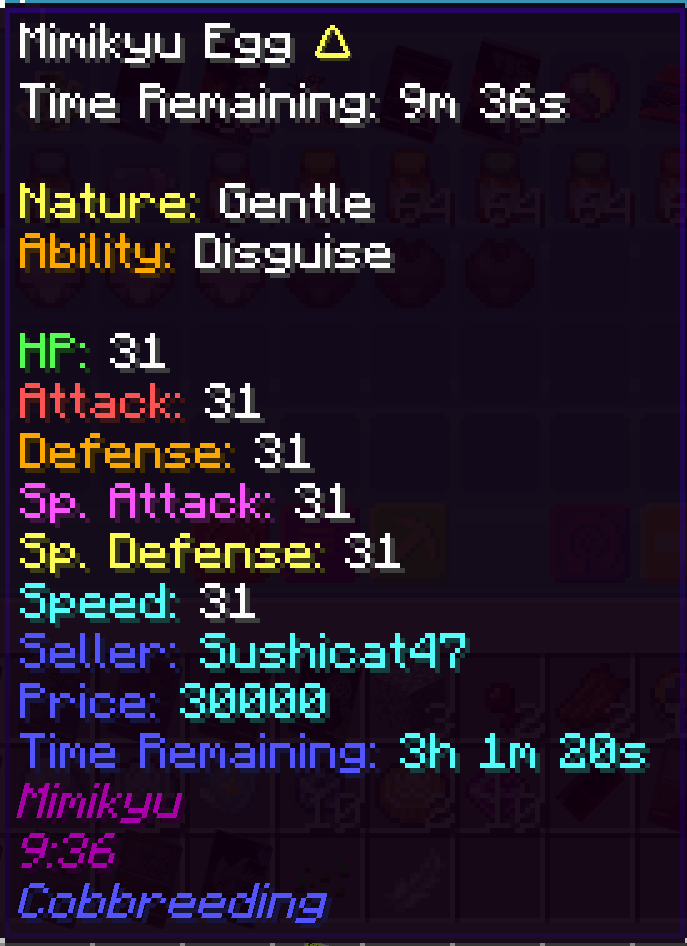
View detailed information about listings including stats, price, seller, and time remaining.
Commands
| Command | Description |
|---|---|
/gts | Open the GTS interface to browse listings |
/gts sell <pokemon/item> | Create a new listing to sell a Pokémon or item |
/gts manage | Manage your active listings |
/gts expired | View your expired listings |
/gts history | View your trading history |
How It Works
Browsing Listings
Use /gts to open the marketplace and browse available Pokémon and items for sale. You can view detailed information about each listing including:
- Pokémon Stats - IVs, nature, ability, and level
- Seller Information - Who is selling the item
- Price - The asking price for the listing
- Time Remaining - How long the listing will be active
Creating Listings
Use /gts sell followed by the Pokémon or item you want to sell. You'll be able to set your asking price and the listing will be visible to all players in the GTS.
Managing Your Listings
Use /gts manage to view and manage all your active listings. You can check on your sales, adjust prices, or remove listings as needed.
Viewing History
Use /gts history to see all your past trades, including what you've bought and sold through the GTS.
/gts expired regularly to see if any of your listings have expired. You can relist items that didn't sell!